
Q1
1 Mark
Which mode opens a file for reading only?
Ar
Bw
Ca
Drb
Check answerHide answer
Correct answer: Option 1 — r
SUMMARY: The chapter on File Handling in Class 12 Computer Science focuses on the concepts and techniques for managing files in Python, including reading from and writing to files.
KEY TOPICS: file operations, text files, binary files, file handling functions, reading files, writing files, file modes, file pointers, exception handling in file operations, CSV files
Which mode opens a file for reading only?
Which method is used to read all lines of a file as a list?
Which file mode opens a file for writing and truncates the existing content?
Which of the following is used to write data into a binary file in Python?
The CSV file format stores data as:
Differentiate between text file and binary file with two points each.
Explain the difference between read() readline() and readlines() methods.
What is the use of the with statement in file handling? Give one example.
Differentiate between pickle.dump() and pickle.load() methods.
Why is it important to close a file after operations are done?
Write a Python program to count the number of lines words and characters in a text file.
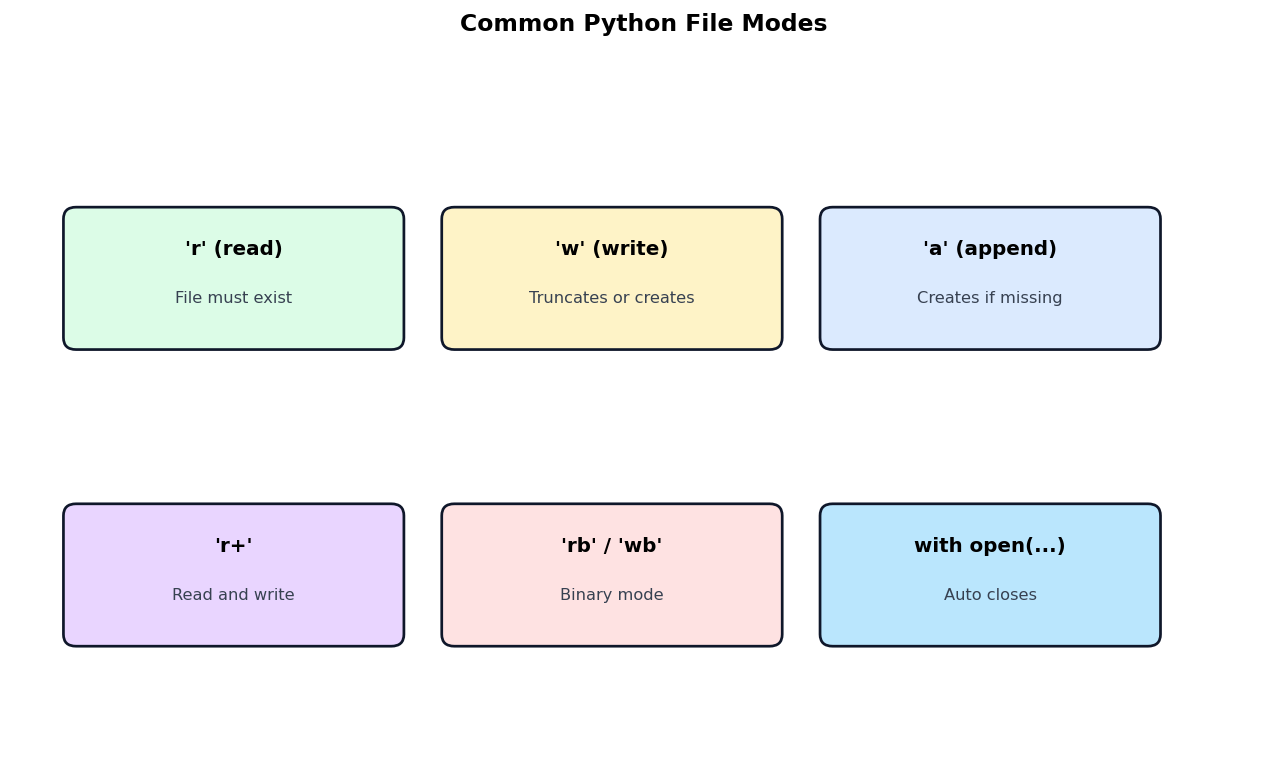
Discuss different file modes in Python with their meaning and use cases.
Write a Python program that reads a CSV file containing student records (name marks) and writes only the passed students (marks >= 33) to a new CSV file.
Explain pickling and unpickling in Python with one example using a list of tuples.
Write a Python program that uses pickle to write and read a list of student records (id name marks) to/from a binary file.
Differentiate between text file and binary file in tabular form on five features.
Assertion (A): Files should be closed after use.
Reason (R): Open files consume system resources and may corrupt data if not closed.
Assertion (A): The with statement automatically closes the file.
Reason (R): It uses a context manager to handle cleanup.
Assertion (A): Binary files store data in raw bytes.
Reason (R): They are not human-readable in a text editor.
Assertion (A): The pickle module is used for serialisation.
Reason (R): It converts Python objects to byte streams for storage.
Assertion (A): CSV files can be processed using the csv module.
Reason (R): It provides reader and writer objects for easy CSV manipulation.
Statement 1: A text file stores data as characters.
Statement 2: Binary files store data as raw bytes.
Statement 1: The open() function returns a file object.
Statement 2: The file object provides methods to read and write data.
Statement 1: The 'a' mode opens a file for appending.
Statement 2: New data is added at the end without affecting existing content.
Statement 1: The seek() method moves the file pointer to a specified position.
Statement 2: The tell() method returns the current position of the file pointer.
Statement 1: Pickling is the process of converting Python objects to byte streams.
Statement 2: Unpickling reverses the process.
Identify the file mode and what each does.
| Mode | Operation |
|---|---|
| r | ? |
| w | ? |
| a | ? |
| r+ | ? |
| rb | ? |
| wb | ? |
Predict file pointer position after each operation.
| Operation | Position after |
|---|---|
| open and tell() | ? |
| read(5) | ? |
| seek(10) | ? |
| read(3) after seek(10) | ? |
| seek(0) | ? |
| seek(0, 2) | ? |
Match each pandas / file concept with its description (mixed concept review).
| Concept | Description |
|---|---|
| open() | ? |
| read() | ? |
| readlines() | ? |
| with statement | ? |
| seek() | ? |
Study the table of file modes and answer:
| Mode | Operation | File must exist? |
|---|---|---|
| r | Read | Yes |
| w | Write (truncates) | No |
| a | Append | No |
| r+ | Read + Write | Yes |
| rb | Read binary | Yes |
| wb | Write binary | No |
Study the file modes diagram and answer:
Pick the question mix, set the marks, hit generate. You get a ready-to-print paper with an answer key.
Generate your paper — free